> ## Documentation Index
> Fetch the complete documentation index at: https://bruno-a6972042-docs-clustered-top-nav.mintlify.site/llms.txt
> Use this file to discover all available pages before exploring further.

# Document a Request

In Bruno, you can create Request-level documentation to provide specific details about your API and its functions. Bruno offers a **Docs** section where you can easily write and manage your request-level documentation.

## Create Request Docs

1. Go to the **Docs** tab within your request.
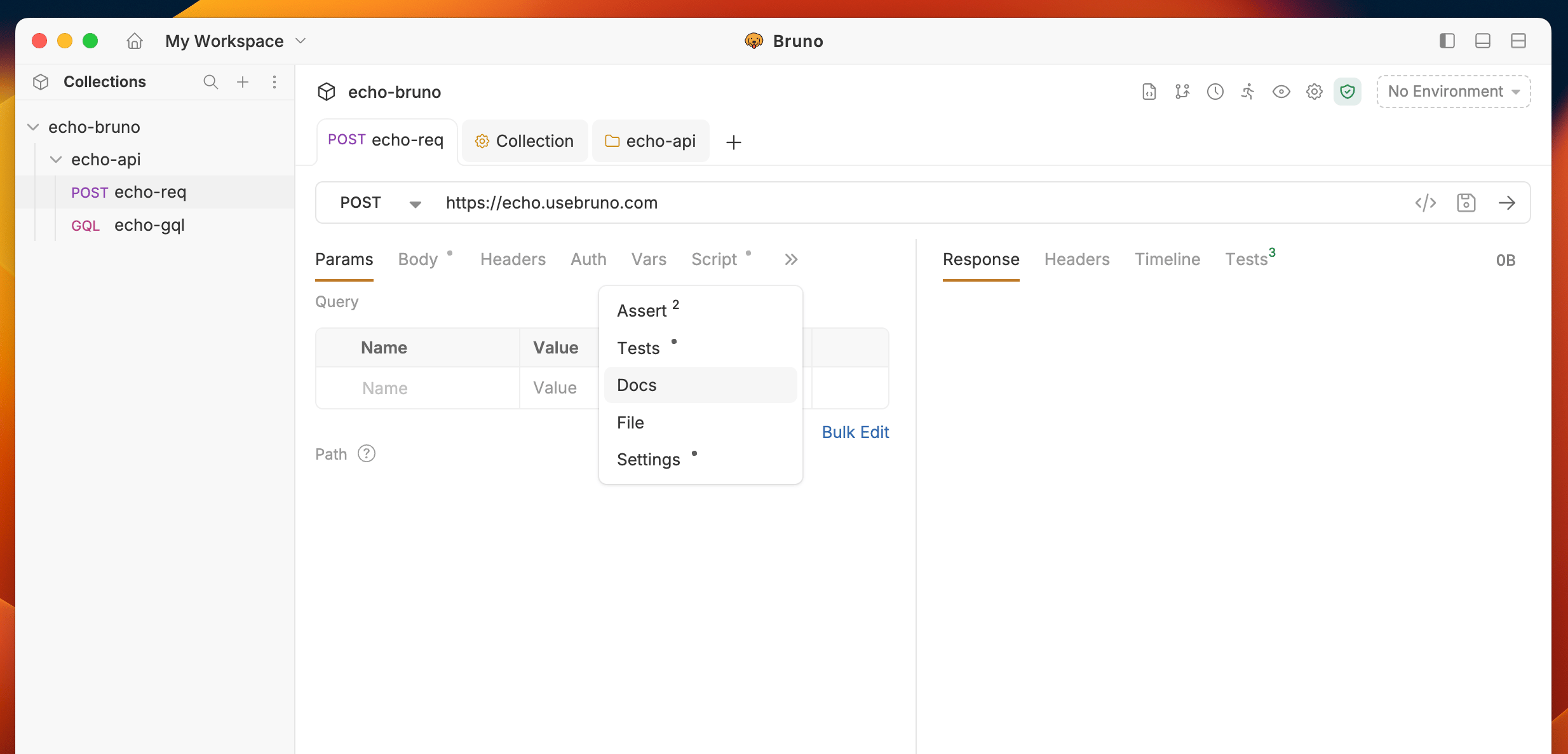
<img src="https://mintcdn.com/bruno-a6972042-docs-clustered-top-nav/CbaeV1HePvgPqDWg/images/screenshots/send-request/api-docs/req-docs-tab.webp?fit=max&auto=format&n=CbaeV1HePvgPqDWg&q=85&s=544fdd70340d9053a5c4e7d4ce37dba2" alt="request-level-edit-docs" width="2468" height="1186" data-path="images/screenshots/send-request/api-docs/req-docs-tab.webp" />

2. Click the **Edit** button.
3. Enter your API details in the provided textarea.
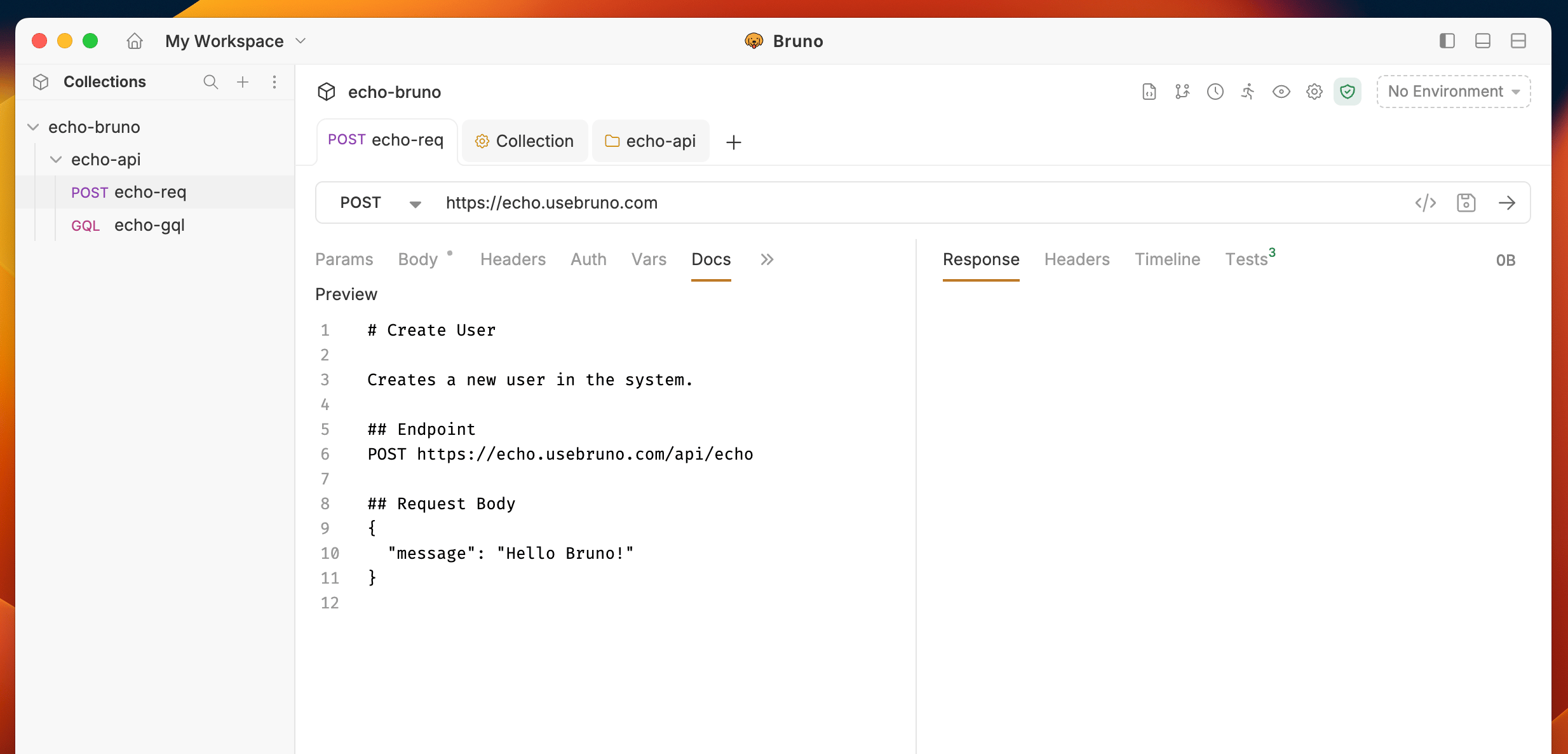
<img src="https://mintcdn.com/bruno-a6972042-docs-clustered-top-nav/CbaeV1HePvgPqDWg/images/screenshots/send-request/api-docs/request-level-edit-docs.webp?fit=max&auto=format&n=CbaeV1HePvgPqDWg&q=85&s=b35318ef137c447c71bcb284ee8202bc" alt="request-level-edit-docs" width="2468" height="1186" data-path="images/screenshots/send-request/api-docs/request-level-edit-docs.webp" />

4. Click the **Preview** button to see the formatted output.
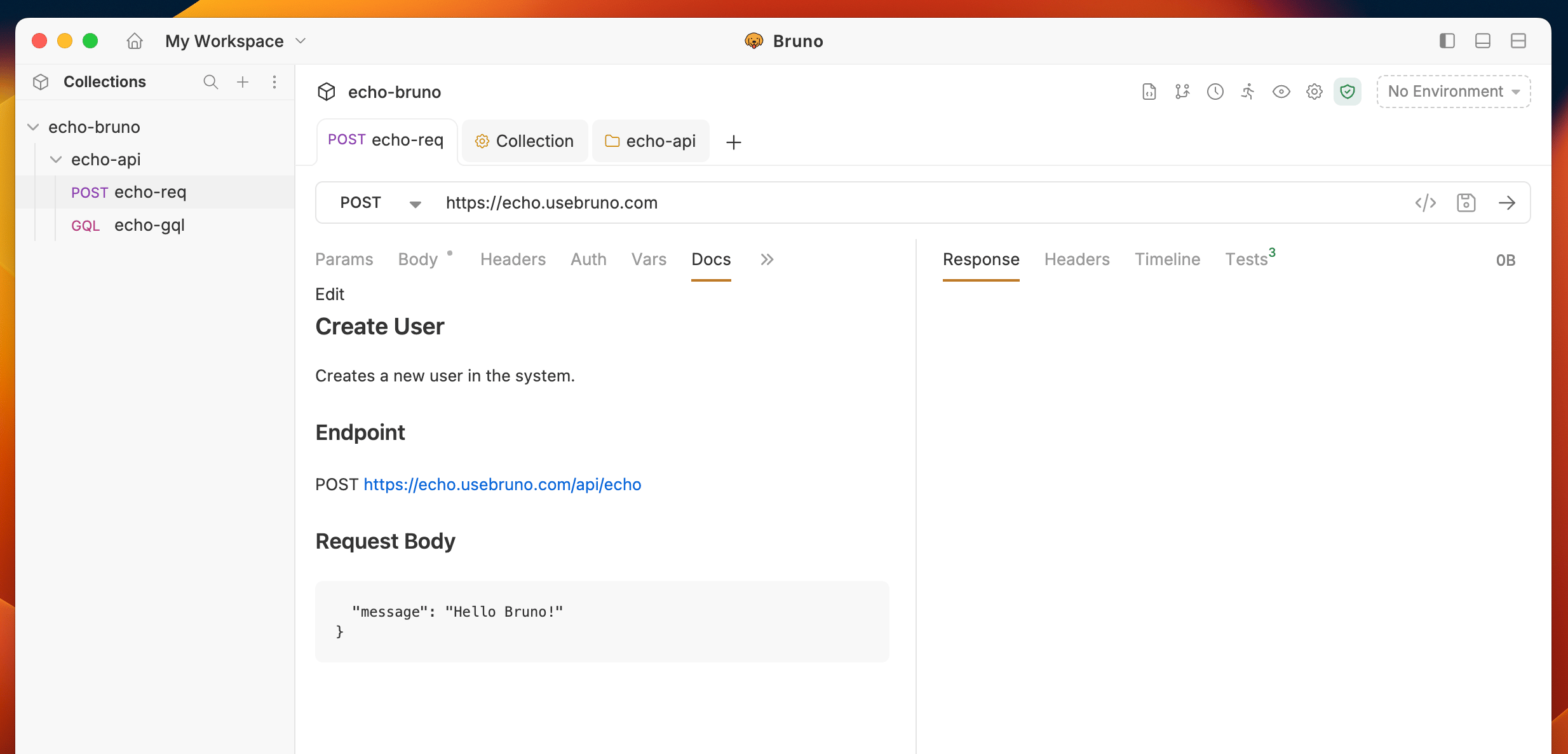
<img src="https://mintcdn.com/bruno-a6972042-docs-clustered-top-nav/CbaeV1HePvgPqDWg/images/screenshots/send-request/api-docs/request-level-preview-docs.webp?fit=max&auto=format&n=CbaeV1HePvgPqDWg&q=85&s=4bab42b88a01e509cdad2afe693c7799" alt="request-level-preview-docs" width="2468" height="1186" data-path="images/screenshots/send-request/api-docs/request-level-preview-docs.webp" />
